qq820 Casino Mobile App
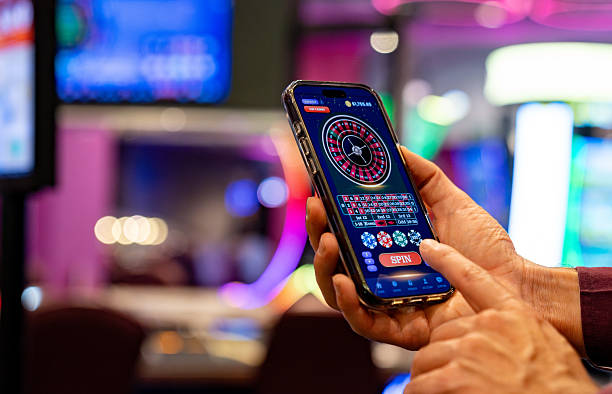
We at qq820 offer our platform across Android, iOS, and web browsers so you can access slot games, live-dealer tables, and sports markets from your mobile device. Mobile-first design means faster navigation, secure transactions, and a consistent experience whether you are in Jakarta, Surabaya, or Bandung.

- LoginOTP Verification
- Installin
- StartFirst Game
- DownloadAPK
Our Android APK installation process requires a few minutes and gives you direct access without app-store intermediaries. iOS users can access qq820 through Safari or Chrome with the same full functionality. Web-based sessions work on any modern browser and require no installation, making them ideal for quick access during Liga 1 matches or major tournament events.
We prioritise account security on mobile by enforcing two-factor authentication, encrypted password storage, and session timeouts. Your data is transmitted over industry-standard SSL encryption, and we do not store sensitive payment details on your device. Whether you deposit via DANA, e-wallet, mobile banking, or local payment, your transaction is verified and logged server-side.
Installation paths on qq820
We provide three ways to access qq820: Android APK download, iOS browser access, and web-based login. Each path is equally secure and offers the same game library, betting markets, and account management tools. Choose the method that suits your device and preference.
Android APK
Direct download for Android 7.0 and above. Install from our website; no app-store account required.
Get APKiOS Browser
Open qq820.app in Safari or Chrome on iPhone and iPad. Bookmark for quick access.
Open AppWeb Access
Log in at qq820.app from any desktop or mobile browser. No download or installation needed.
Log In
How to install and set up on qq820
Step-by-step installation
- Download the APK (Android only): Visit qq820.app, navigate to the App section, and tap the Android download link. Your browser will begin downloading the APK file to your device.
- Allow unknown sources (Android only): Go to Settings → Security, enable "Unknown Sources" or "Install Unknown Apps", and select your browser. This permits installation from sources outside Google Play.
- Open the APK file and install: Return to your downloads, tap the qq820 APK, review the permission summary, and tap Install. The process takes 30–60 seconds depending on your connection speed.
- Create or log in to your account: Launch the app, enter your username and password, or tap "Open an account" to register. Complete KYC verification before your first deposit.
App vs. browser experience
Our Android APK offers offline caching for game menus and recent betting history, push notifications for tournament schedules and withdrawal status, and faster load times because assets are stored locally. The browser experience is lightweight, always up to date, and requires no installation. Both deliver the same security, payment options, and access to slot games like Aviator, Sweet Bonanza, Gates of Olympus, Fortune Tiger, and Mahjong Ways. Choose the APK if you want speed and notifications; choose the browser if you prefer flexibility and no storage footprint.
Device compatibility on qq820
Our platform requires Android 7.0 or later and iOS 12 or later. Most devices released in the past five years meet these requirements. If you are using an older device, update your operating system or use the web browser version instead. We support both portrait and landscape orientations and automatically adjust layout for screen sizes from 4 inches to 12 inches.
Troubleshooting common installation issues
If the APK download fails, check your internet connection and try again from a different network if possible. If "Unknown Sources" is not visible in Settings, search for "Install Unknown Apps" instead—the label varies by Android version. If installation halts midway, free up at least 100 MB of device storage and retry. If you see a "Certificate untrusted" warning on iOS, this is normal for the first visit to qq820.app; tap "Continue" in Safari to proceed. If the app crashes after installation, force-close it (swipe up from the home screen on iOS, or use Settings → Apps on Android) and reopen. If none of these resolve your issue, contact our support team during business hours with your device model and Android/iOS version.
Data, permissions, and account security
We at qq820 request only essential permissions: internet access (for API calls), camera (for KYC ID verification), storage (for APK caching and transaction receipts), and notification (for withdrawal alerts). We do not request microphone, contacts, or location data. Your account credentials are encrypted using PBKDF2, and your session is destroyed when you log out or after subject to verification of inactivity. Two-factor authentication via SMS or authenticator app adds a second security layer. If you suspect unauthorized access, reset your password immediately and contact support. We retain transaction logs and KYC data for compliance and dispute resolution for a minimum of five years.
Additional notes and recommendations
Network and performance considerations
On slow connections (3G, weak WiFi), the web browser loads faster than the APK because it streams assets on demand. The APK performs better over time once initial cache is populated. Live-dealer games stream video and require a minimum of 2 Mbps download speed; if your connection drops during a live session, your bet is paused and you can reconnect within two minutes without losing funds. Slot games are less bandwidth-intensive and work reliably on 1G connections.
Before you start: account verification
After creating your qq820 account, you must complete KYC verification before depositing funds. Upload a government ID (KTP, passport, or driver's license) and proof of address. Verification typically completes within 24 hours. Once approved, you can deposit via DANA, e-wallet, mobile banking, local payment, online payment, e-wallet, or bank transfer. You can then access our slot tournament schedule, live casino tables, and sports betting markets covering Liga 1, Piala AFF, and international football.
- APK vs. app store
- APK download gives us direct control over updates and features without platform review delays.
- Browser bookmarking
- Save qq820.app to your home screen for one-tap access and faster loading than searching each time.
- Withdrawal verification
- All withdrawals trigger a security review; this typically adds 1–3 hours to processing time to prevent fraud.
Supported tournaments and events on qq820
Our platform covers major football tournaments throughout the year: Liga 1 during the season, Piala Indonesia knockout rounds, Piala AFF regional championship matches, and international competitions including Champions League and Premier League. Slot tournaments run on a daily and weekly schedule with scheduled start times. Live-dealer tables operate during market hours. Esports markets include Mobile Legends, Free Fire, and PUBG Mobile tournaments. Check the Events page in your account to see this week's schedule and tournament details.
We at qq820 remain committed to providing a secure, compliant platform accessible across devices. Our services are available only in jurisdictions where local law permits online wagering. If you have questions about access, device compatibility, or account setup, contact our support team. We provide guidance during business hours on installation, verification, and deposit methods.
Our app and web infrastructure is monitored 24 hours a day. Deposits, withdrawals, and account access are protected by multi-layer encryption and fraud detection. If you encounter any technical issue, report it to support with your device model and a brief description of what happened.